Do you love to tinker with your keyboard layout? Do you love trackballs and think that one that attaches magnetically to your keyboard would be the coolest thing ever? Are you willing to completely blow up your setup in pursuit of possibly huge - or possibly marginal - gains in comfort or efficiency? Then I have a keyboard and trackball recommendation for you, with some caveats.
Majorly expertising in Bluetooth speakers and earbuds, the China-based brand has crafted a niche in the gadget market with its eye-popping creations, including the robot-inspired Bluetooth speaker, gaming mouse, and earbuds with a sci-fi case. Now the makers have tried their hand at creating a limited edition keyboard, because why not? Even though they've got the Mercury V75 Pro in their arsenal, this one hits different with its design and functionality.
The modern digital landscape demands more than functional gadgets-it requires tools that seamlessly integrate into daily routines while enhancing productivity, creativity, and connectivity. As work and personal lives become increasingly intertwined with technology, the accessories we choose make the difference between digital frustration and digital mastery in our interconnected world. Today's tech enthusiasts face unique challenges, as smartphones and laptops have reached remarkable sophistication, yet their peripheral ecosystems often lag.
Logitech's Alto Keys K98M mechanical keyboard is now available in North America after its initial launch in China and other select markets. The $149.99 Alto Keys K98M is an almost full-size 1800-layout keyboard, offering a slightly compact design that maintains a number pad. But what makes the K98M special for a mass-market Logitech board is that it's fully hot-swappable with standard Cherry MX-compatible key switches and uses an internal gasket mount for a semi-soft typing feel. Logitech is taking some belated cues from enthusiast keyboards.
When the Epomaker P75 launched last year, it impressed us with its build quality and laundry list of features, especially for a board that retails for less than $100. And while the mechanical keyboard has since been discontinued, it remains an excellent choice you can still pick up with either the linear or tactile switches at Amazon for $79.99 ($20 off), which nearly matches the board's all-time low of $74.99.
The typing experience with this keyboard is ... alright. It's nothing special, not worth writing home about, but it's not bad. The switches are light to type on, being tried-and-true Gateron Red switches with a 45-gram actuation weight. These are a proven design that feels smooth and has been used for years without issue, but they won't blow you away, especially if you're somewhat familiar with modern mechanical switches.
The dream of the perfect mobile workstation often involves a series of compromises. You can have a powerful laptop, but you're stuck with a single, small screen. You can bring a portable monitor, but that's another device to pack, another cable to manage, and another stand to set up. For those who refuse to give up the satisfying feedback of a mechanical keyboard, that's yet another piece of gear to haul.
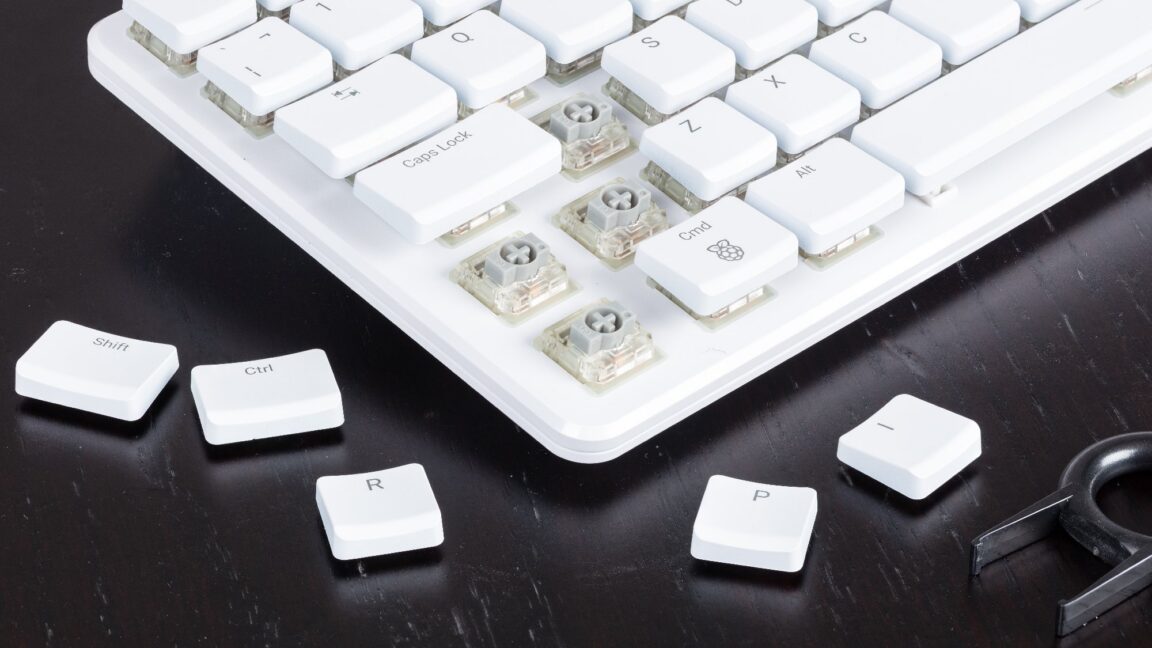
The Raspberry Pi 500 Plus is the first to feature an M.2 2280 SSD socket for storage in addition to an SD card slot that can be used to hold the OS. It comes with 256GB of storage, but it's easily accessible if you want to swap in a larger SSD. Available now for $200, the Raspberry Pi 500 Plus is considerably more expensive than the Raspberry Pi 500 that's still available for $90, but the upgrades aren't just limited to expanded storage.
Think of a keyboard switch like light switches. They have a fixed point where they activate, and all they can report is whether they're in one of two states. Hall effect switches are more like light dimmer knobs. They know exactly where they currently are and can report that information back to the computer, which has a number of advantages over traditional keyboard switches.
What's makes it a mechanical keyboard? A mechanical keyboard has discreet tactile switches beneath every key. The other main type of keyboard you see is a membrane keyboard, like those that still come in many laptops. What is a keyboard switch? The switch is the part on a keyboard beneath the key cap you type on. It is the part that gets pressed so your keystroke is registered. Different switches have different sounds and feels.
DIY laptop mods that blend modern hardware with retro aesthetics are having a moment, and it's easy to understand why. Modern ultrabooks prioritize thinness and portability over tactile satisfaction, leaving many users longing for the chunky, satisfying keyboards and analog controls that made 1990s laptops feel substantial and purposeful. One ambitious modder has answered that call with something truly special.