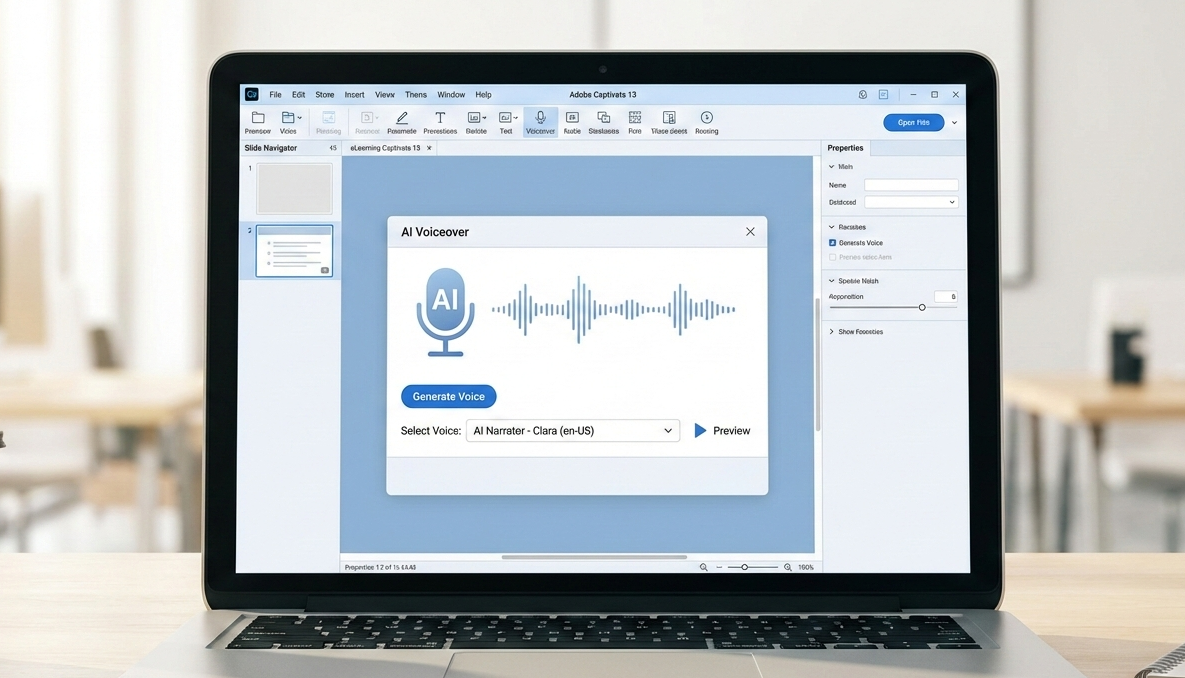
Voiceover plays a critical role in eLearning by guiding learners, reinforcing key concepts, and adding a human touch. Traditionally, creating voiceovers required recording equipment, voice artists, and multiple revisions. Adobe Captivate 13 simplifies the process with built-in AI voiceover capabilities that enable faster production without sacrificing quality. AI narration integrates into the authoring workflow so on-screen text converts easily to synchronized voiceover aligned to slide timing and animations. Captivate 13 offers multiple AI voice styles; voice selection should consider audience type, tone, pace, and clarity to support accessibility and engagement. Well-written scripts and instructional design best practices remain essential, and Captivate 13 allows mixing AI and human narration for more emotional or leadership-focused content.
"Voiceover plays a critical role in eLearning-it guides learners, reinforces key concepts, and adds a human touch to digital courses. Traditionally, creating voiceovers required recording equipment, voice artists, and multiple revisions. Adobe Captivate 13 simplifies this process with built-in AI voiceover capabilities, enabling faster production without sacrificing quality. AI voiceovers are especially useful for rapid development, iterative updates, and multi-language content."
"Adobe Captivate 13 integrates AI narration directly into the authoring workflow, making it easy to convert on-screen text into voiceover. The typical workflow includes: Because narration is generated inside Captivate, it stays perfectly aligned with slide timing and animations. Captivate 13 offers multiple AI voice styles designed for different learning contexts. When selecting a voice, consider: Audience type (corporate, academic, technical) Tone (neutral, friendly, instructional) Pace and clarity for accessibility Choosing the right voice ensures learners stay engaged and can easily follow the content."
Read at eLearning
Unable to calculate read time
Collection
[
|
...
]