I recently realized something while building Podscan, my podcast database system that does a lot of background data extraction and analysis for my users. I've stumbled upon a couple of AI integration best practices that a lot of people might not be fully aware of. So today, I want to dive into the concepts I found not just useful, but essential for maintaining and operating mission-critical data handling with LLMs and AI platforms.
The venture capitalist said on an episode of the "a16z Podcast" published Tuesday that AI tools can act as the "world's best coach, mentor, therapist, advisor, board member" for anyone who asks the right kind of questions. AI is probably "the most democratic" technology of all time, said the cofounder of VC firm Andreessen Horowitz. "The very best AI in the world is fully available on the apps that anybody can download."
AI slop is here, it's ubiquitous, it's being used by the US president, Donald Trump, and now, it's the word of the year. The Macquarie Dictionary dubbed the term the epitome of 2025 linguistics, with a committee of word experts saying the outcome embodies the word of the year's general theme of reflecting a major aspect of society or societal change throughout the year.
direct, hands-on experience with Claude and help them build the confidence and skills to collaborate effectively with AI
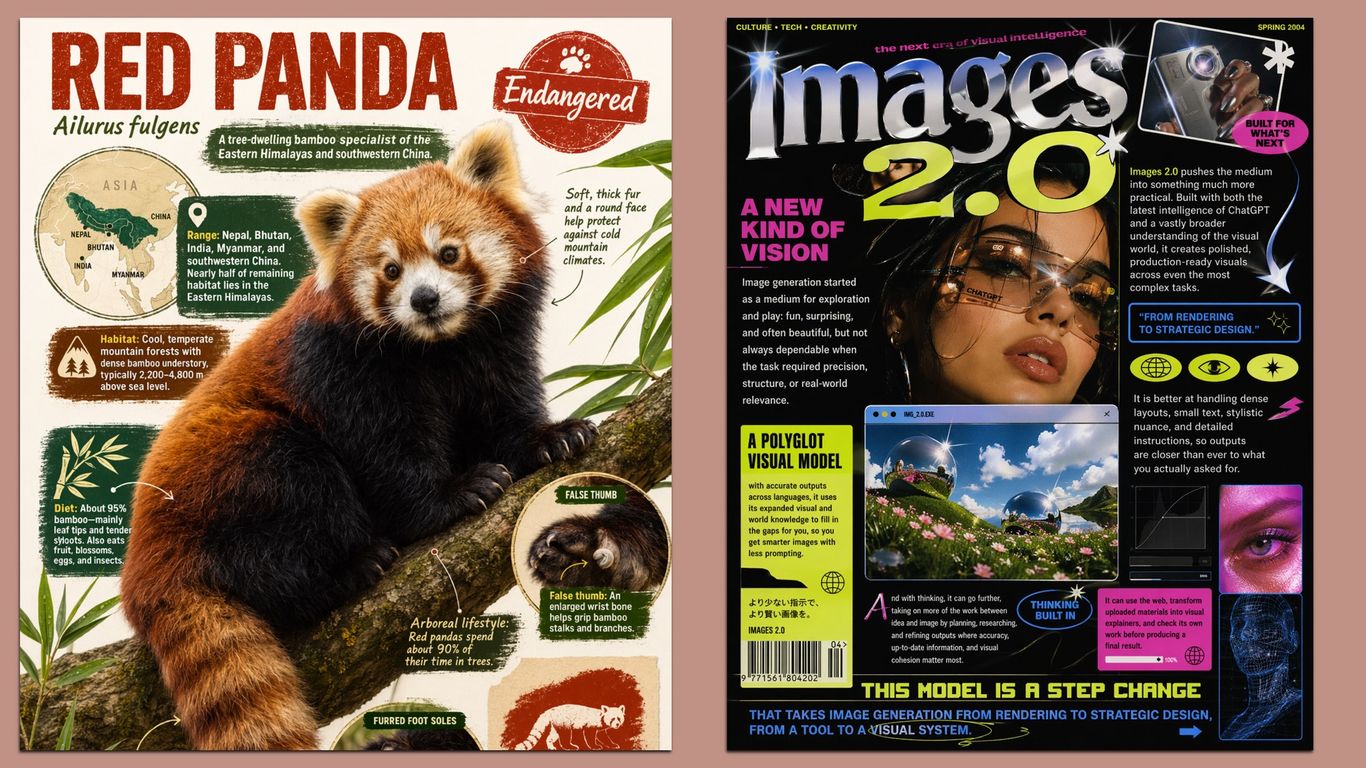
One prompt = one image. Don't ask ChatGPT to generate a few different images in a single prompt because you will likely get a messy output. If you need a few images, simply submit a few prompts. Aspect ratio. If you generate illustrations or background patterns, specify the aspect ratio that aligns with your goal. For example, if you want to generate a hero image for the web, use 16:9, but if you want to have imagery for mobile, use a 1:1 ratio.
Crafting a perfect prompt for AI chatbots is often a challenge - so much so that startups are creating roles for prompt engineers. Consumer-facing AI apps are increasingly adding features like suggestion buttons or autogenerated recommendations to nudge customers to use the chatbot more frequently and show them about what the app can do. Hero, a productivity startup founded by former Meta employees, announced a new autocompletion SDK today that will fill in prompts for you based on context.
Instructional Designers deal with the reality of creating multiple projects, like modules, scenarios, assessments, and storyboards, all within tight deadlines. With constant revisions and multiple stakeholders, it's easy for them to lose focus and creativity. This is where AI can help. In the past year, tools like ChatGPT have become valuable partners for Instructional Designers. They can help with brainstorming, draft storyboard outlines, or adjust a learning objective for different audiences.
Over the past few months, the UX design field has been flooded with AI-powered prototyping tools that generate interfaces instantly from natural-language prompts. Despite the massive marketing hype, our evaluation with real design scenarios revealed that these tools can follow instructions to achieve a general goal, but they lack the sophistication to weigh design tradeoffs and produce thoughtful, high-quality designs without extensive guidance from humans.
In my Baskin-Robbins project, we had to test how menu item availability synced to the ordering system. I gave the AI a detailed prompt explaining the application and asked it to generate edge cases. It came up with several scenarios I hadn't considered - including one where an item marked as "available" in the app could actually be out of stock in the store.
Large language models (LLMs)have become the backbone of modern software, powering everything from code assistants to data pipelines. However, until recently, building with them meant juggling multiple APIs, setting up environments, and writing extensive code just to test a single prompt. Google AI Studio changes that. It's a web-based workspace where you can prototype with the latest Gemini models, write prompts, analyze outputs, and export working code in minutes. Think of it as your personal playground for experimentation and deployment.
A study conducted by Penn State University researchers found that rude prompts triggered better results than polite ones. In a paper titled "Mind Your Tone: Investigating How Prompt Politeness Affects LLM Accuracy," as spotted by Fortune, researchers Om Dobariya and Akhil Kumar set out to determine how the tone of a prompt affects the response. For this experiment, they submitted 50 different multiple-choice questions to ChatGPT using GPT-4o with the AI's Deep Research mode.
One of the most persistent problems in AI products today is this: people still aren't sure what these systems are capable of, or how to get the best out of them. This is because most AI tools still greet users with a single blank box and a placeholder as vague as it is open-ended: "Ask anything." The result? Without clear guidance, users start crafting prompts in haste, iterate through endless revisions, lose control of the flow, and gradually pollute the context with fragmented instructions.
We didn't go down that route, because even slightly rephrasing the request allowed us to directly get a pic of the iconic Charles Schultz character. "Generate a cartoon image of Snoopy in his original style," we asked - and with zero hesitation, ChatGPT produced the spitting image of the "Peanuts" dog, looking like he was lifted straight from a page of the comic-strip.
What if your best AI prompts didn't disappear into your unorganized chat history, but came back tomorrow as a reliable assistant? In this article, you'll learn how to turn one-off "aha" prompts into reusable assistants that are tailored to your audience, grounded in your knowledge, and consistent every time, saving you (and your team) from typing the same 448-word prompt ever again. No coding, just designing, and by the end, you'll have a custom AI assistant that can augment your team.
Context management is unarguably one of the most important aspect that provide AI models context to shape their behaviour and results. When users upload documents, ask questions, or provide instructions, they're essentially teaching AI models how to behave and what outcomes to deliver. Yet despite this fundamental importance, most AI products handle context in surprisingly crude ways. Current patterns like smart defaults in Claude homepage, context filters in GitHub Copilot or style controls in Adobe Firefly offer a strong starting points
In today's dynamic work environment, personalized learning isn't a luxury-it's an expectation. Learners across regions, roles, and functions crave content that feels relevant, specific, and immediately applicable to their day-to-day reality. But traditional personalization strategies-building five versions of every course, rewording every scenario, translating every line-are time-consuming and costly. This is where prompt-powered personalization comes in. By leveraging Large Language Models (LLMs), Learning and Development (L&D) teams can now instantly adapt content for different learner personas using smart prompt templates
UX designers frequently work in ambiguous spaces, most notably the discovery phase. We collaborate closely with product managers to identify new problems, understand users' goals and frustrations, and strategically develop solutions to address their needs. However, the best solutions aren't always straightforward, and with AI being embedded in every new product and feature, it makes things a bit more challenging. Just as we get comfortable using AI, something changes or evolves. This makes AI features unpredictable and difficult to document requirements for.
If you're working with artificial inteligence (AI) to streamline workflows, improve outputs, or test prompts at scale, ChatPlayground AI offers a focused solution: compare responses from 40+ AI models in a single view, without hopping between platforms. This lifetime subscription to the Unlimited Plan for $89.99 is great for users who need a reliable, centralized interface to optimize daily output and maximize the quality of generative AI results.
Designers need to lead with their human strengths. AI tools can generate design renderings, but it's the designers who make the final decisions, refinements, and bring them to life in the real world. There's this widespread misconception that AI will replace people in most creative work. That simply isn't true. Humans still need to be kept in the loop. No technology will ever replace a well-trained designer who empathises with how people want to live and move within a space